
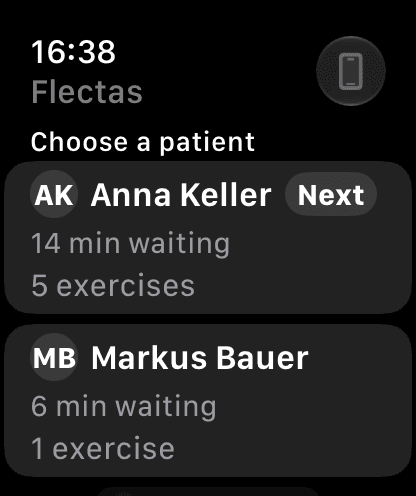
Who to see next, at a glance.
Every patient currently training is ranked by how long it's been since your last interaction. The watch face complication and Smart Stack widget surface the top of that list without opening the app.
The Apple Watch companion mirrors the active session from the Training Board, so a therapist walking the floor can see who's next and tick off sets without carrying an iPad.
Every patient currently training is ranked by how long it's been since your last interaction. The watch face complication and Smart Stack widget surface the top of that list without opening the app.
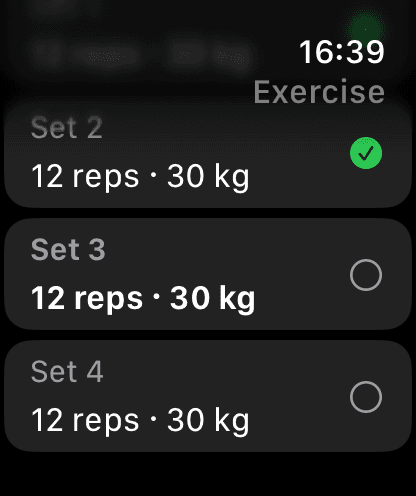
Tick off the sets already on the plan with one tap. Adjust reps, weight, duration, or band first if the session called for it, mark a whole exercise done, or complete the session — with a haptic-backed rest countdown between sets.
Log an extra set that wasn't on the plan, leave a quick note or a follow-up flag for review on the phone later, and set rest or return reminders so nothing slips.
Every change made on the Watch is queued and confirmed by the phone, so nothing is lost if the Watch is briefly out of reach. The Watch mirrors; the iPhone keeps the clinical record.
Install Flectas on the iPad you already carry. Run one session on the board. Sign one report. Decide from there.